

Command: The Place Area Planting command is available from the Create Planting dialog.

Purpose
Seed Mixes can be applied to a floor, closed region, native Revit area or split topo.
ArtisanRV projects an area boundary onto the underlying topography if this exists and the projected (real-world) area is used to calculate accurate areas for the seed mixes.
Seed Mix areas can be over or underplanted if the system detects that planting has already been applied.
Usage
Select Place Area Planting to display the Area Planting Options dialog, customised for Seed Mixes.
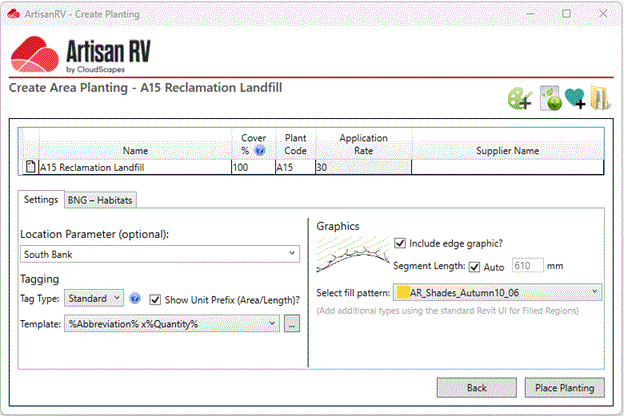
Place Seed Mix
Select an area to place Seed Mix. CS ArtisanRV enables users to place area planting by...
The example below shows a Seed Mix being placed on a Sub Division.
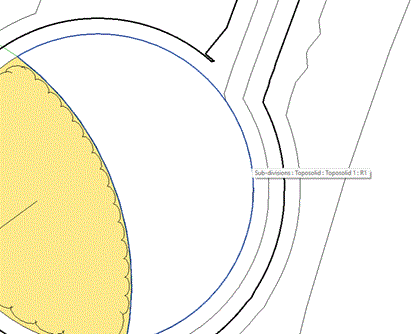
The boundaries of planted areas are displayed with an illustrative vegetation graphic. Individual planting numbers are calculated based on the defined centres value and the selected area (real-world area projected onto topography) and a Tag is placed in the view.
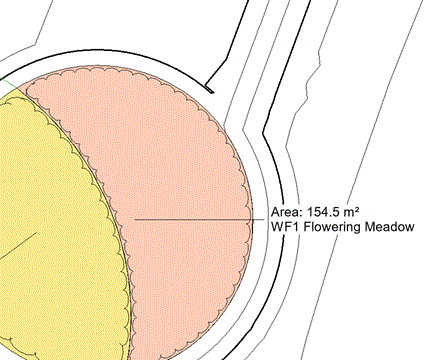
If an area is detected as already containing planting content, users are prompted to create Overlay or Underlay planting.