

Once a palette has been created, Artisan users can generate a range of outputs directly from the CloudScapes Web App. Although the primary purpose of a palette is to define and manage planting selections for use with dynamic CAD label content, output options provide a convenient way to share planting proposals, obtain design approval, and distribute planting information to project stakeholders.
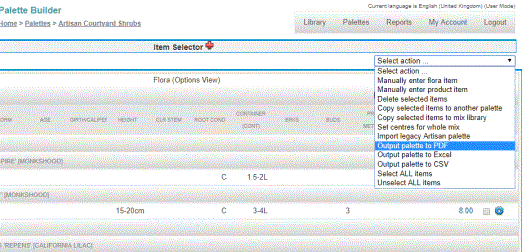
The option ‘Output palette to PDF’ is available from the Select action menu in the Palette Builder...
Palette outputs can be used to:
One of the most popular output options is Output to PDF.
Select Flora Palettes for Planting.
There are a number of PDF output options...