PDF
Output - Flora Palette Detail
The
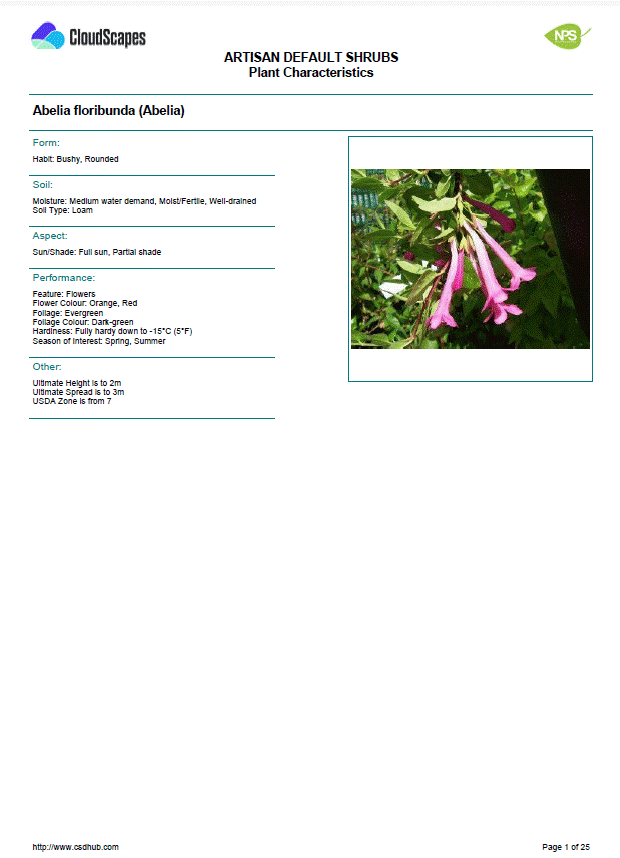
Flora Palette Detail displays detailed information of each
of the plants in the palette with each plant represented on a separate page.
Information is sorted by Form, Soil, Aspect, Performance, Other alongside
associated photo/s.
-
Open the required palette within the CloudScapes Web App.
-
Select the Output to PDF from the Select
menu.
-
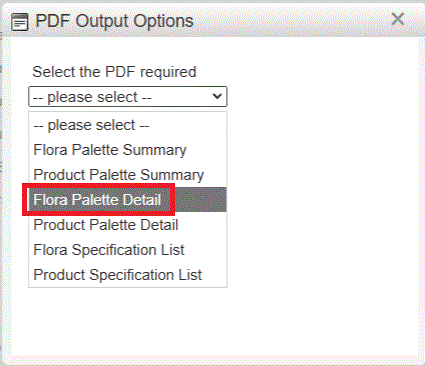
Choose Flora Palette Detail from the list of available PDF output
options.
-
Review any output settings that may be available.
-
Generate the PDF.
-
Save or distribute the resulting document as required.
The
PDF file is created and available for download...