Introduction
The Create Default Schedules command
provides a quick and efficient way to generate standard Artisan schedules
directly from the data stored within the current drawing. By automatically
creating commonly used schedule layouts, this tool helps users produce
consistent project documentation while reducing the time and effort required to
manually configure schedules.
Default schedules are generated using the intelligent
planting and non-planting information maintained by Artisan. As project data
changes, the resulting schedules can be updated to ensure that quantities,
specifications, and associated information remain coordinated with the design
model.
This functionality is particularly useful during the early
stages of project documentation, when rapid schedule creation is required, as
well as later project phases where standardised outputs help maintain
consistency across drawing sets. Automatically generated schedules can also
serve as a starting point for further customisation to meet specific project or
organisational requirements.
The topics in this section explain how to create default
schedules, the types of information included, and how these schedules can be
used as part of an integrated Artisan workflow to support accurate and efficient
landscape documentation.
Command
Reports
Note that Schedules provide an up to date 'view' of
the underlying label information in the model and this may disclose some
inconsistencies or errors that the user would want to change or correct. Use the
Edit Labels or
Planting Browser tools to modify records as
required and confirm results agin with reference to the schedule view.
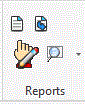
The Reports ribbon panel gives access to the
commands that place and edit schedules.