

Command
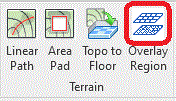
The Overlay Region tool is available from the Terrain panel.
Purpose
In Revit, an Overlay Region is typically used in detailing and drafting workflows to cover or mask geometry behind it so that the information in front reads more clearly. It is commonly used when creating construction details, sections, and drafting views.
Its main purposes are:
The Overlay Region utility in CS ArtsainRV is to mask breaks in patterns on triangulated Floors, which may appear fragmented if the usual Material Appearance is displayed in a multi elevational Floor.
Usage
Pick Floor to Topo and select a floor to convert.
The Convert Topo to Floor dialog enables a Floor Type to be selected, options selected for how the topo under the proposed floor is to be treated and whether Sub_Regions are to be included.
After running Topo to Floor, a default "Artisan - Planting Bed Material Takeoff " schedule is created with associated quantities.