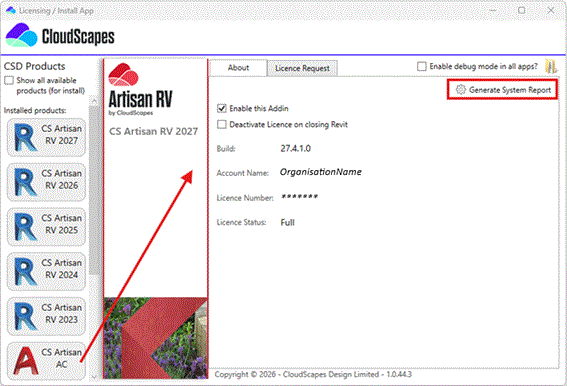
The Generate System Log utility has been
added to make it easier for end users to provide system information on
CloudScapes Applications. This provides essential system information that
provides details required for CloudScapes Support to assist users if
CloudScapes products are experiencing installation or setup issues.
Reports are written to a file that is saved
to your desktop, so that it can be easily attached to an email to CloudScapes
Support (
[email protected]).
To Generate
System Report:
- Pick Licence, Settings & Install from the CS Buddy
App
-
Select
CloudScapes plugin (e.g. CS ArtisanRV, CS ArtisanAC, CS ArtisanBC)
-
Pick
'Generate System Report' icon (top right)
A
confirmation message is displayed when the System Report has been created...
Email
***SystemReport***.txt from your Desktop to [email protected]
.