Label Content - Details
If users do not want to display the components of a mix in the label (perhaps due to lack of available space in the model), deselect the ‘Details’ option…
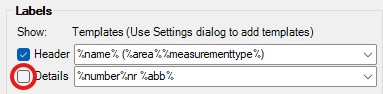
De-selecting the 'Details' option for a Planting Mix results in a label displaying only the Mix Header (e.g. Mix Name and perhaps area)...
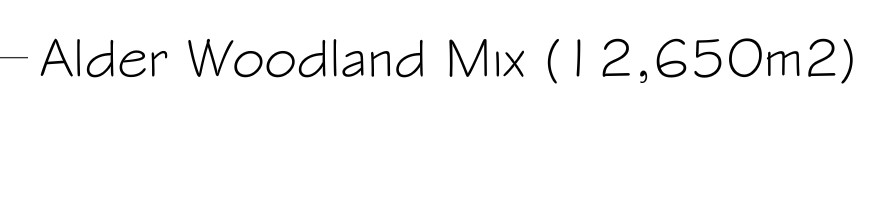
Note, ‘mix
components’ are no longer displayed under the Mix Header (Mix Name + Area
suffix) if 'Details' has been de=
selected.
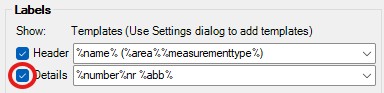
Editing the above label re-displays the Label Content settings and users are able to reset preferences as required, including turning on the option to display (Mix) Details…
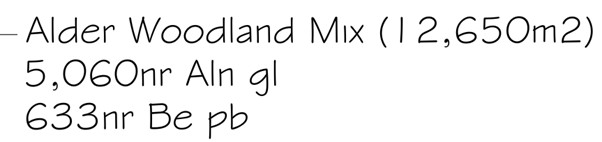
For a planting mix, a user may
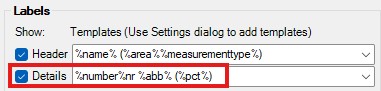
want to display the percentage of each mix component. The expression to display
a mix component’s percentage coverage is %pct% and this could be added as a
suffix to the ‘Details’ area to apply to all mix components.
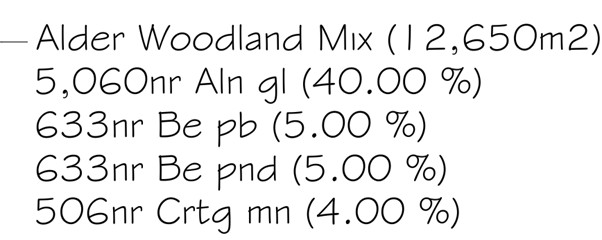
Picking Apply redisplays the Mix
Label with the percentage coverage of all Mix Components displayed in
brackets…