

When users place Area Planting Labels and Linear Planting Labels, a direct association is made between the label and the associated CAD geometry (line. polyline etc). Modifying the associated CAD geometry (line. polyline etc) using native CAD commands, automatically modifies the label information.
In the example below, an area planting label and a linear planting label have been placed.
The area planting label '9nr Abl fl (21m2)' confirms that 9 instances of a shrub (Abelia floribunda) have been calculated and the associated area is 21m2.
The linear planting label '6nr Abl fl (8m)' confirms that 6 instances of a shrub (Abelia floribunda) have been calculated and the associated length is 8m.
The Label Template used in both examples is %number%nr %abb% (%area%%measurementtype%).
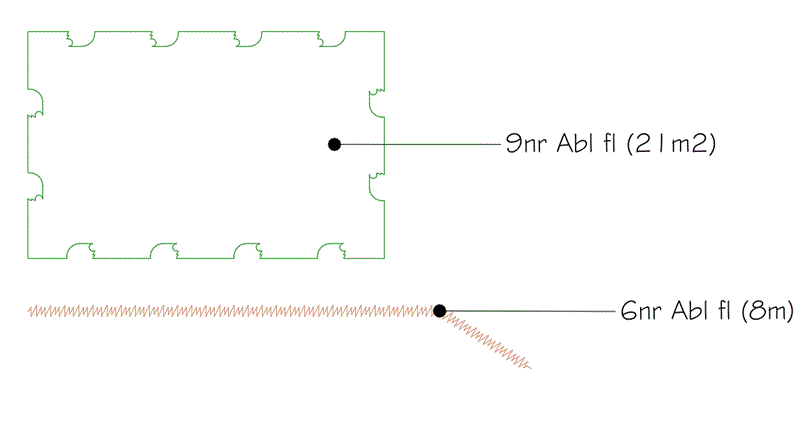
A user is able to manually edit the associated linework using standard AutoCAD commands, such as Grip Editing..
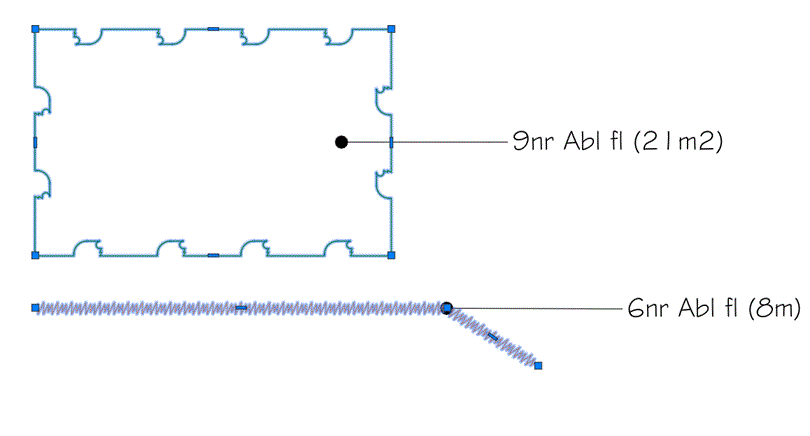
Use Grip Editing -Stretch to redefine the boundary of the area...
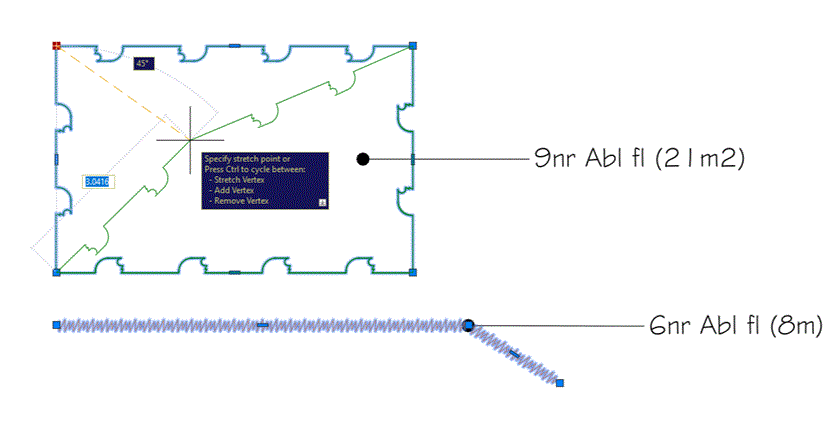
Do the same for the linear planting element...
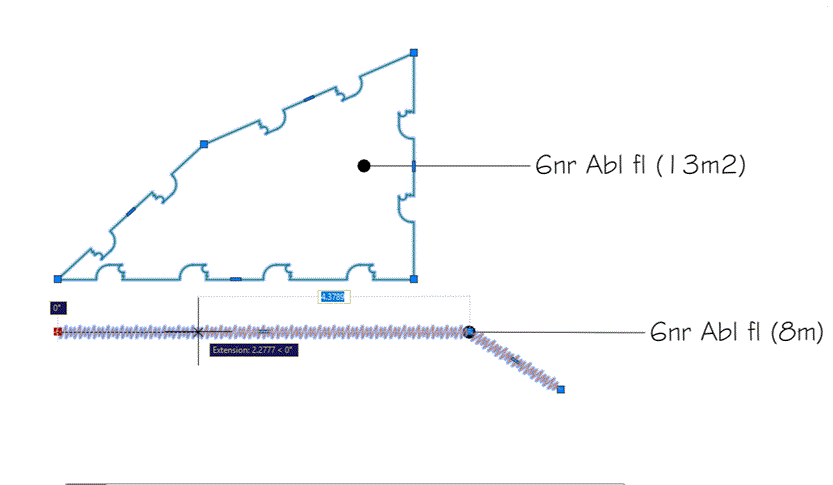
After manually Grip Editing the Area Planting and Linear Planting linework, the associated labels automatically adjust to reflect the new area and linear measurments.
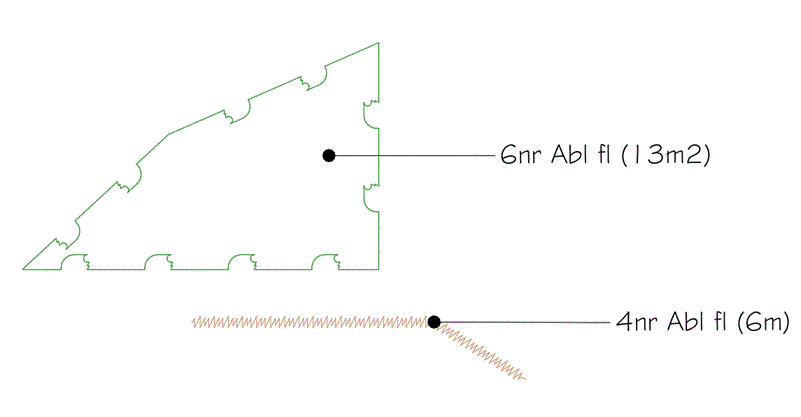
With Planting Labels, the calculated quantity of plants is automatically adjusted based on the revised area or length. In the example above, the area label is automatically changed to '6nr Ab fl (13m2)' and the linear planting label is changed to '4nr Ab fl (6m)' respectively.