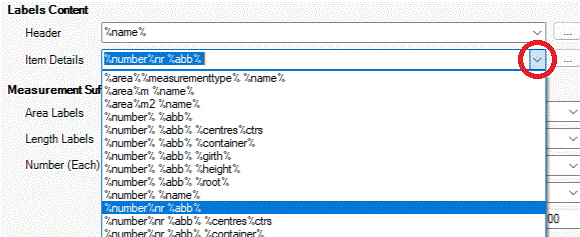
The Item Details section is used to construct the principle label's text. This can be a mixture of real text and macros identified by a leading and trailing '%' character. For a full list of the macros that can be used see the Label Template Reference page.

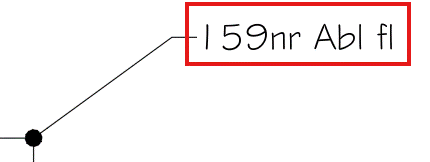
In the example above, Item Details is listed as '%number%nr %abb%'. This results in associated labels having a calculated planting number (%number%) followed by the suffix 'nr' (plain text) and then a space before the abbreviated plant name (%abb%) e.g. <159nr Abl fl>.
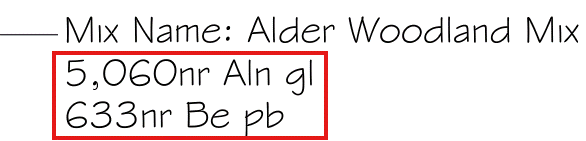
If Item Details is listed as '%number%nr %abb%' for a Planting Mix, this results in associated labels having a calculated planting number for each of the components (%number%) followed by the suffix 'nr' (plain text) and then a space before the abbreviated plant name (%abb%) for each of the Planting Mix Components e.g. <633nr Be pb>.
Users are able to select from a prebuilt list of available expressions and free text combinations using the associate pop-down list...
Users are able to modify the pop-down list using
the  button to the side
of the Header section. An editable list box is displayed showing the
pre-defined syntaxes, which users are able to manually edit as required.
Users are able to add their own syntaxes by selecting (copy/paste) from the
listed expressions &/or typing in the list box as required.
button to the side
of the Header section. An editable list box is displayed showing the
pre-defined syntaxes, which users are able to manually edit as required.
Users are able to add their own syntaxes by selecting (copy/paste) from the
listed expressions &/or typing in the list box as required.
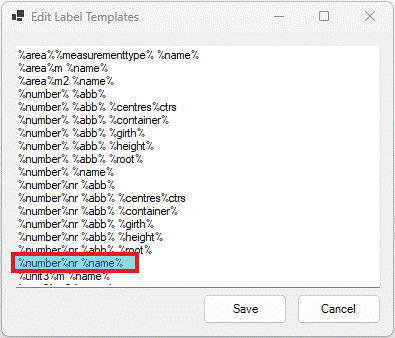
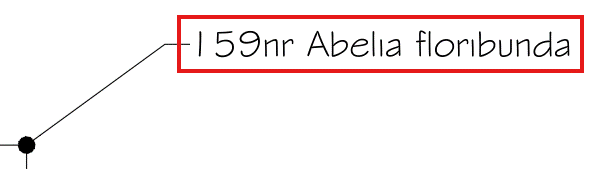
If the Item Detail was changed to '%number%nr %name%', this results in associated labels having a calculated planting number (%number%) followed by the suffix 'nr' (plain text) and then a space before the full botanical plant name (%name%) e.g. <159nr Abelia floribunda>.
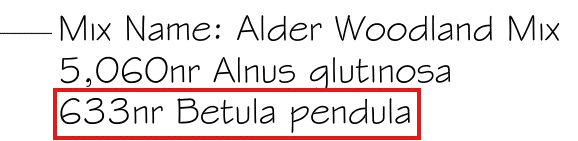
For Components of a Planting Mix using the Item Detail syntax '%number%nr %name%', this would result in the following label...