

Introductory Summary
The Foliage Density tool enables landscape professionals to control the visual density of foliage displayed for planting within a Revit model. By adjusting foliage density settings, users can optimise the graphical appearance of planting to suit different project stages, drawing scales, presentation requirements, and model performance considerations.
Foliage density settings can be used to create more realistic visualisations, improve the clarity of planting plans and 3D views, or reduce model complexity when working with large numbers of plants. This provides greater flexibility when balancing visual quality, project communication, and Revit model efficiency throughout the design process.
Command
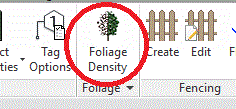
Foliage Density is available from the Planting panel.
Purpose
To enable users to increase or decrease the density of planting foliage in the project. This control enables users to determine the complexity of planting visualisation within the current project by modifying the default foliage density settings.
Usage
Planting density is adjusted positively or negatively by a defined increment (default value is 0.05)
See Increase or Decrease .