

Command
The Labels ribbon panel gives access to the commands that place and edit labels and controls label placement options and styles.
All Labels commands are available from the Labels panel.
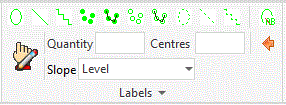
Users are able to attach Seed Mix labels to area geometry and to modify existing label information using the Artisan Edit and Substitute tools.
Purpose
To place Seed Mix labels in the CAD model for area items.
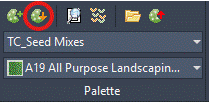
Labels to be placed are selected from downloaded Palettes and users can Open Palette Builder or Download Palettes from the Palette panel.
Usage
Download Palettes - Connect to CS Palette Builder to download palettes to local machine
Select Palette - Select from list of downloaded palettes
Labels - Area - Place area label items into model.
Reports - Create and edit schedules
Edit Non Planting Labels.
Labels assume measurement units based on the defined UNITS setting in AutoCAD.