

An alternative method of activating (or reactivarting) a licence is via the CS Buddy App. For newly installed or if the software has been updated, it is much easier for users to activate licences via the CS Buddy App as this is the same location used to run the Install Auto Update tools.
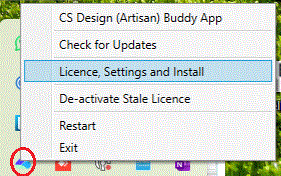
From the CS Buddy App, right-mouse pick and select Licence, Settings and Install from the CS Buddy App menu...
Select the Licence Request tab to open the Licensing controls .
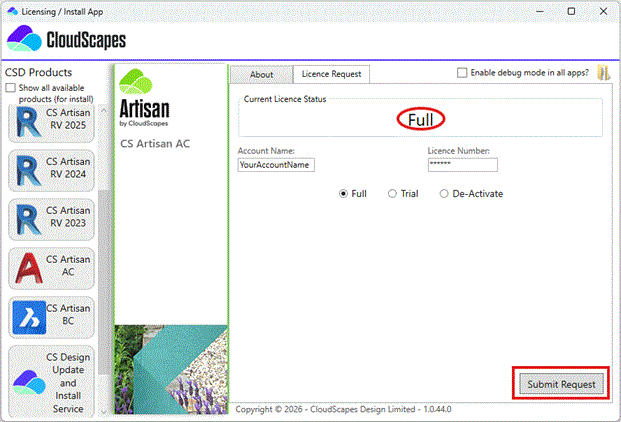
Enter your
organisation's unique login credentials, select ‘Full’ if you have purchased a
subscription or ‘Trial’ for a time-limited version and pick:
‘Submit Request'.
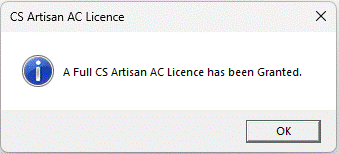
A dialog is displayed to confirm the licence request has been successful and that a licence has been granted.
You are now able to access CS ArtisanRV when Revit is initiated.