

Licences are allocated against a specific machine using the Activate tool.
When the program is run for the first time with the respective Plugin installed, you will be asked to authorise your licence. Enter your unique login credentials and pick: 'Request Full Licence'.
Alternatively, you can request a licence by using the "Licensing" tab in the same "Licence, Settings and Install" form you used to install the product from.
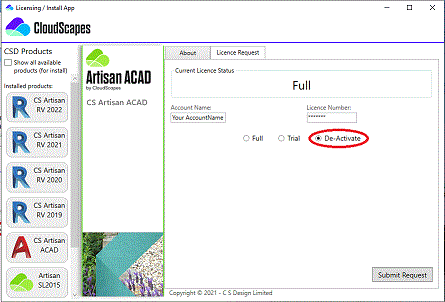
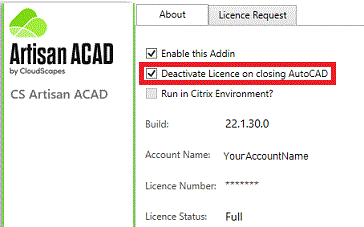
If an organisation frequently wants to activate and de-activate licences for multiple machines, there is an option to automatically relinquish licences back to the organisation account from the Licence, Settings and Install option from the CSD Buddy App (Windows taskbar).
Artisan products can be deployed in different types of virtualised
environments. Before proceeding, it is important to determine which model your
organisation is using, as the configuration steps differ
slightly.
There are two common deployment models:
• Session-based environments – Multiple users connect to a shared
virtual machine (VM) or server, with each user operating within their own
isolated session. This model is commonly delivered using solutions such as
Citrix or Microsoft Azure Virtual Desktop (AVD) using multi-session
configurations.
• VDI (Virtual
Desktop Infrastructure) environments –
Each user is assigned their own dedicated VM (a one-to-one relationship between
user and machine). This is typically referred to as a personal or dedicated
desktop.
If you are unsure which model applies to your environment, a simple way
to distinguish them is:
Selecting the correct setup guide will ensure that licensing, updates, and system behaviour are configured appropriately for your environment.